
VideoDB × TwelveLabs: search any moment across your video library.
TwelveLabs’ multimodal understanding now plugs straight into VideoDB, so any agent can find the exact moment it needs, not just the right file.
Human monitoring does not scale. A person can watch one feed for a while, maybe a few feeds with enough coffee, but fatigue always wins.
Think of a baby starting to climb, a riverbed changing from quiet to dangerous, or a restricted area suddenly occupied. Those are exactly the moments that get missed when the system depends on someone staring at pixels all day.
VideoDB’s real-time infrastructure turns live streams into structured, searchable, actionable video data. With TwelveLabs’ Pegasus 1.2 model available directly inside the VideoDB indexing pipeline, developers can build live video understanding apps without stitching together separate storage, streaming, model, and alerting systems.
The result is a much cleaner loop: connect a stream, describe what the model should look for, index visual batches with Pegasus, define the event that matters, and receive a playable clip when the event is detected.
“The camera stops being a passive feed. It becomes an event source your product can act on.”
The real bottleneck in video AI
The hard part is rarely one model call. It is everything around the model.
Teams building live video AI usually run into the same stack of problems. They need to ingest RTSP or camera feeds and keep them available for playback. They need to sample frames at the right cadence and send those frames to a vision model.
Then they have to store the generated understanding, evaluate events, and deliver alerts to an application fast enough to matter.
- API sprawl: video ingest, model inference, storage, playback, and notifications often live in different services with different credentials and SDKs.
- Scaling pressure: live streams produce continuous data, and visual understanding workloads are expensive if every frame is treated the same way.
- Latency gaps: if indexing, alerting, and playback are not part of the same pipeline, real-time products become slow review tools.
VideoDB collapses that workflow into one video-native layer. RTStreams handle live ingest and playback. Visual indexes convert batches of frames into scene descriptions.
Events define what the system should detect. Alerts deliver the moment as data, including confidence, explanation, and a stream URL that can be opened immediately.
Introducing TwelveLabs inside VideoDB
The TwelveLabs integration adds Pegasus 1.2 to VideoDB’s live visual indexing path. In practice, that means a stream index can opt into TwelveLabs’ frame understanding by setting one parameter: model_name="twelvelabs-pegasus-1.2".
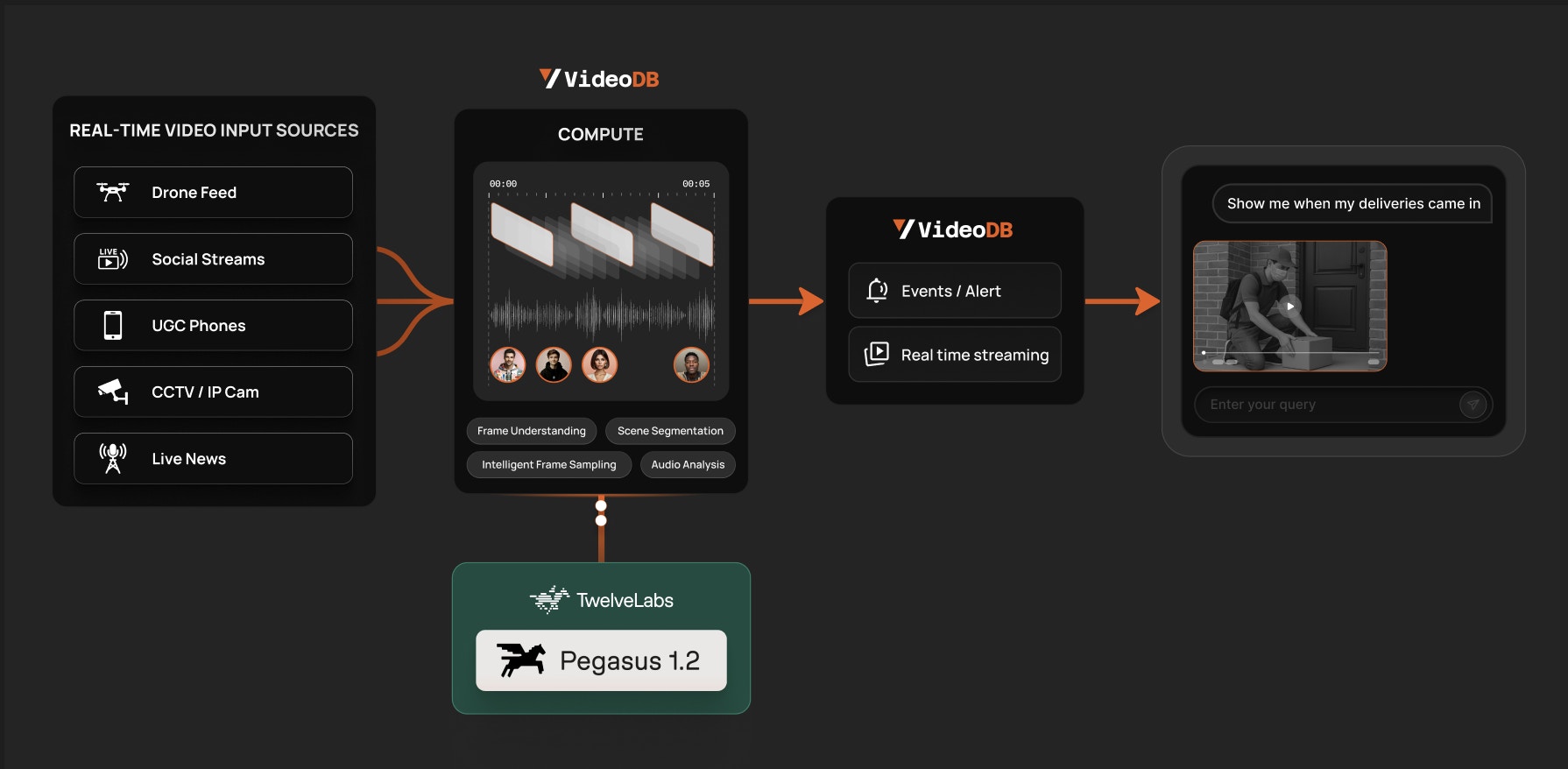
That small configuration line matters. You keep the VideoDB primitives around the model: RTStream ingest, visual indexing, event definitions, WebSocket or webhook delivery, and playable clip generation. Pegasus handles the frame-level understanding inside the index.
What changes for builders
You do not build a separate model bridge. You select Pegasus in the VideoDB index, keep the event and alert flow in VideoDB, and receive evidence as a playable video moment.
How the pipeline works
The core integration is intentionally small. Start with an RTStream, create a visual index over time-based batches, pass a task-specific prompt, and select the TwelveLabs model.
import videodb

conn = videodb.connect()
coll = conn.get_collection()

flood_stream = coll.connect_rtstream(
    name="Arizona Flood Stream",
    url="rtsp://samples.rts.videodb.io:8554/floods",
    store=True,
)

flood_scene_index = flood_stream.index_visuals(
    batch_config={
        "type": "time",
        "value": 10,
        "frame_count": 6,
    },
    prompt=(
        "Monitor the dry riverbed and surrounding area. "
        "If moving water is detected across the land, identify it "
        "as a flash flood and describe the scene."
    ),
    name="Flash_Flood_Detection_Index",
    model_name="twelvelabs-pegasus-1.2",
)

print("Scene Index ID:", flood_scene_index.rtstream_index_id)
The batch configuration controls how often VideoDB samples the live stream and how many frames go into each visual understanding pass. The prompt tells Pegasus what to look for. The model name selects TwelveLabs. Everything else stays inside VideoDB: stream lifecycle, indexed scene records, event rules, and alert delivery.
From understanding to action
Understanding a scene is useful. Acting on it is what makes the product real. In VideoDB, events are reusable detection rules. Once an event exists, it can be attached to a stream index and delivered over WebSocket for live app experiences or webhook for server-to-server automation.
event_id = conn.create_event(
    event_prompt="Detect sudden flash floods or water surges.",
    label="flash_flood",
)

ws_wrapper = conn.connect_websocket()
ws = await ws_wrapper.connect()

alert_id = flood_scene_index.create_alert(
    event_id=event_id,
    callback_url="",
    ws_connection_id=ws.connection_id,
)

async for msg in ws.receive():
    if msg.get("channel") == "alert":
        data = msg.get("data", {})
        print("Event:", data.get("label"))
        print("Confidence:", data.get("confidence"))
        print("Clip:", data.get("stream_url"))
        print("Why:", data.get("explanation"))
That alert payload is not just a notification. It carries context: the event label, model confidence, explanation, timestamp, and a temporary stream URL for the detected moment. The user does not have to trust a text alert blindly. They can open the clip and verify what happened.
Demo 1: flash flood detection
A camera watches a dry riverbed. The product watches for the moment the environment changes.
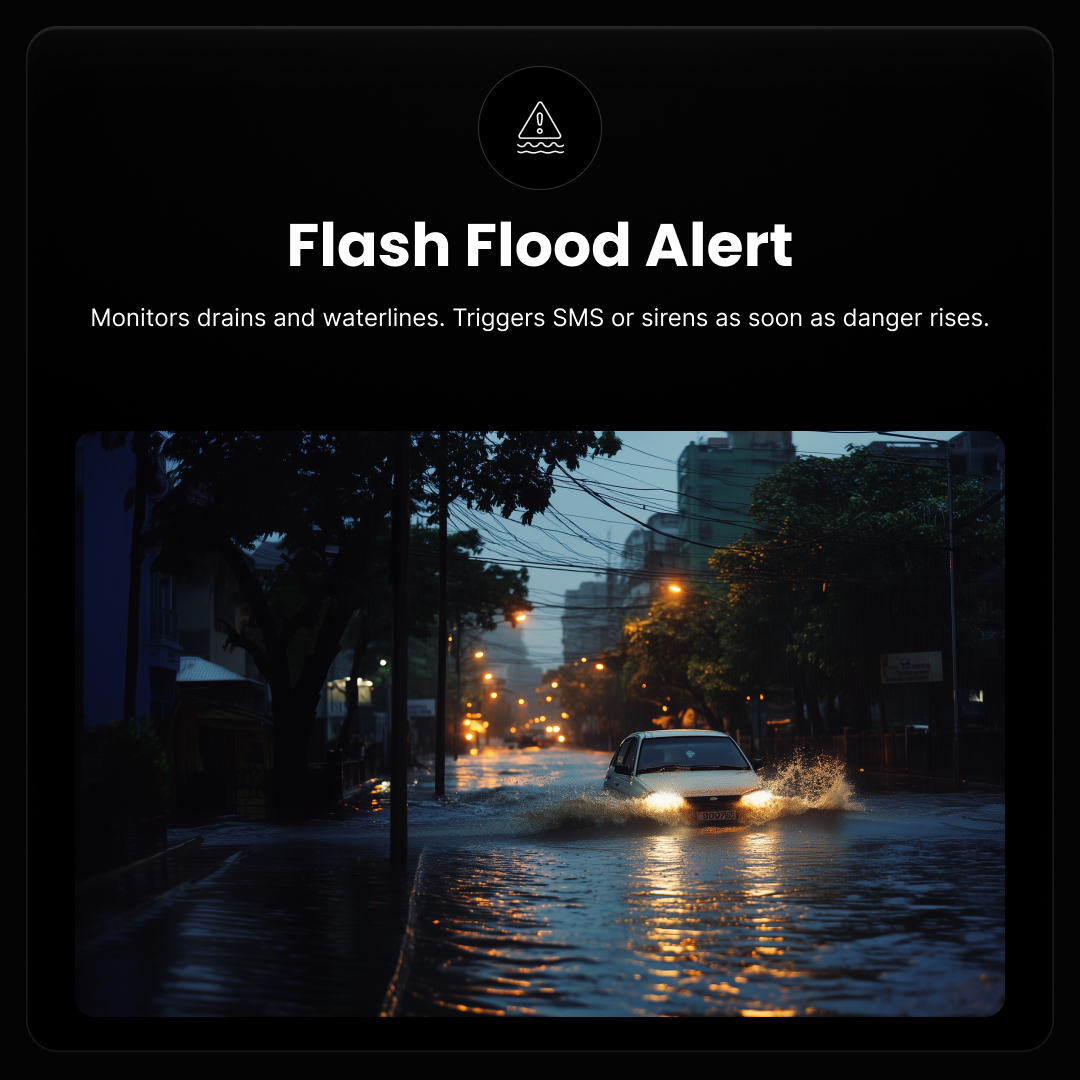
The flash flood notebook connects a live RTSP sample stream, creates a Pegasus-powered visual index, and defines multiple events over the same stream. One index watches for flash flood conditions. Another can monitor related events such as heavy rainfall or a person needing rescue.
1. Build a visual index for water movement
The prompt is specific: monitor the dry riverbed and identify moving water across land as a flash flood. This keeps the index focused on the operational condition that matters instead of producing generic scene captions.
2. Define event rules
The notebook defines events such as flash_flood, heavy_rainfall, and human_rescue. Each event is a reusable rule that can be attached to the relevant visual index.
3. Deliver the evidence
When an event is detected, VideoDB returns the explanation and the stream URL for the exact time window. That is the difference between “something happened” and “here is the moment it happened.”
Demo 2: baby crib monitoring
Parents do not need another camera feed. They need the camera to understand when attention is needed.
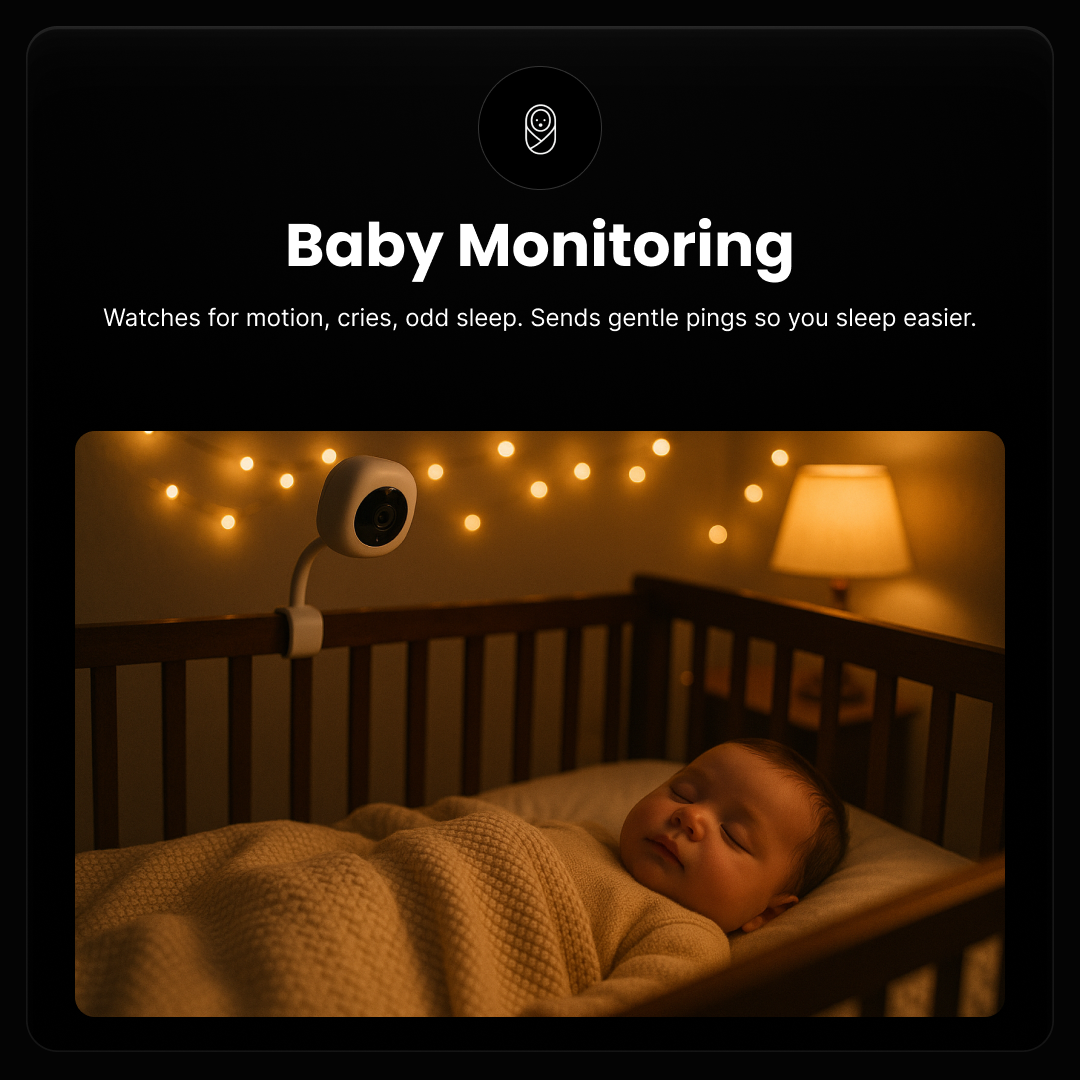
The baby crib notebook uses the same integration pattern with a different prompt and event rule. The stream index describes the baby’s activity inside the crib and pays special attention to standing, climbing, or attempts to escape.
crib_scene_index = crib_stream.index_visuals(
    batch_config={
        "type": "time",
        "value": 10,
        "frame_count": 6,
    },
    prompt=(
        "Describe the activity of the baby inside the crib. "
        "Notice if the baby stands up, climbs the rail, "
        "or attempts to climb out."
    ),
    name="Baby_Crib_Index",
    model_name="twelvelabs-pegasus-1.2",
)

event_id = conn.create_event(
    event_prompt="Detect if the baby is standing, climbing, or trying to escape the crib.",
    label="baby_escape",
)
The important point is not that baby monitoring and flash flood monitoring are the only use cases. It is that both are the same developer shape. Change the stream, prompt, model configuration, and event rule, and you can build a new real-time video understanding product without redesigning the infrastructure.
Why this is bigger than alerts
Real-time video intelligence is a new interface for software. Instead of asking users to review footage after the fact, the system can surface moments as they happen.
Security teams can triage incidents faster. Operations teams can watch infrastructure without watching screens. Content platforms can tag, chapter, and moderate live or long-running media with far more context.
The TwelveLabs integration makes the frame-understanding layer stronger. VideoDB makes it productizable: ingest, index, search, alert, and replay all in one loop.
Run the demos
Open the Flash Flood and Baby Crib notebooks in Colab, add your VideoDB API key, and test Pegasus-powered RTStream indexing with your own prompts.